WhatsApp Google Drive AI RAG Customer Support n8n

WhatsApp AI Support Bot with Google Drive RAG

Automate customer support with an intelligent WhatsApp bot that answers questions using your company documents, understands voice notes, and keeps its knowledge fresh with weekly syncs.

Download Template JSON · n8n compatible · Free
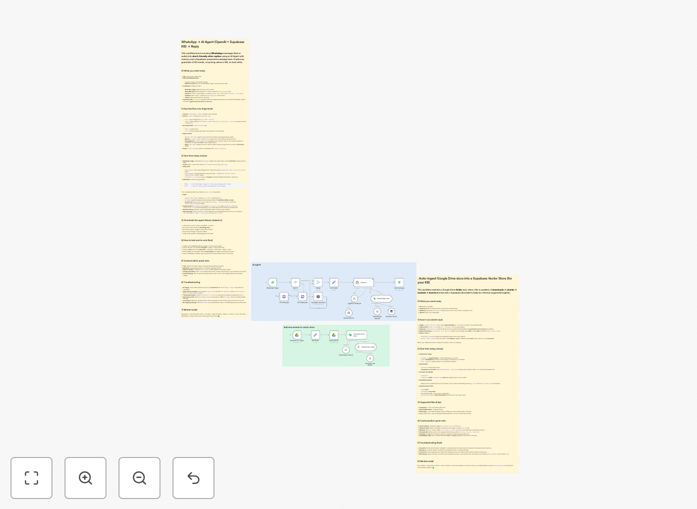
Visual diagram of WhatsApp AI support bot workflow integrating Google Drive, OpenAI GPT, and Cohere reranking

What This Workflow Does

Customer support teams are drowning in repetitive questions while struggling to keep internal documentation accessible. This WhatsApp AI Support Bot solves both problems by creating an intelligent, 24/7 assistant that answers customer inquiries directly from your Google Drive documents.

The workflow automatically handles both text messages and voice notes—transcribing audio to text—then uses Retrieval-Augmented Generation (RAG) to find accurate answers in your company knowledge base. It maintains conversation context to avoid repetition and syncs weekly with your Google Drive folder, so non-technical staff can update answers simply by editing documents.

Unlike generic chatbots, this solution provides trustworthy, company-specific responses while maintaining a human-like tone. It's particularly valuable for businesses receiving high volumes of similar questions about products, services, policies, or procedures.

How It Works

1. Message Reception & Processing

When a customer sends a WhatsApp message (text or voice note), the workflow triggers. Voice notes are automatically downloaded and transcribed using OpenAI's speech recognition. The system maintains short-term memory of recent conversation turns to provide coherent, context-aware responses.

2. Knowledge Retrieval & Reranking

The customer's question queries your document knowledge base stored in Supabase. The system retrieves the most relevant document chunks, then uses Cohere's reranker to prioritize the most accurate information before feeding it to the AI model.

3. AI Response Generation

GPT-4.1-mini generates concise, helpful responses (under 100 words) based strictly on the retrieved company information. Guardrails prevent the AI from inventing answers or providing medical/financial advice not present in your documentation.

4. Weekly Knowledge Sync

A separate automation lane monitors your designated Google Drive folder for new or updated documents. When changes are detected, it downloads, chunks, embeds, and updates the vector database—keeping your bot's knowledge current without manual intervention.

Who This Is For

This template is ideal for customer-facing businesses that receive repetitive inquiries via WhatsApp. E-commerce stores answering product questions, service businesses explaining processes, educational institutions handling student queries, or any organization with documented policies that customers frequently ask about.

Teams overwhelmed by support volume will benefit most—especially those already using WhatsApp Business but struggling with response times. The solution works particularly well for companies with well-documented knowledge bases that just need an accessible interface for customers.

What You'll Need

  1. WhatsApp Business Cloud account with App ID, Token, and Phone Number ID
  2. OpenAI API key for both chat completions and embeddings
  3. Cohere API key for reranking functionality
  4. Supabase account with a project URL and anonymous key
  5. Google Drive with OAuth2 access and a dedicated folder for support documents
  6. n8n instance (cloud or self-hosted) to run the automation

Pro tip: Start with a small subset of your most frequently asked questions in Google Drive. This lets you test accuracy before scaling to your entire knowledge base.

Quick Setup Guide

  1. Import the template into your n8n instance using the downloaded JSON file.
  2. Configure credentials for WhatsApp, OpenAI, Cohere, Supabase, and Google Drive in n8n's credential management.
  3. Set your Google Drive Folder ID in the weekly sync trigger node.
  4. Verify Supabase table name matches your vector storage setup (default is "documents").
  5. Add initial documents to your Google Drive folder and trigger a manual sync to populate the knowledge base.
  6. Test with sample questions via WhatsApp to ensure responses are accurate and concise.
  7. Adjust system prompts as needed for your brand voice and response guidelines.

Key Benefits

24/7 automated support reduces response times from hours to seconds, improving customer satisfaction while freeing your team for complex issues.

Consistent, accurate answers drawn directly from your official documentation eliminate human error and ensure policy compliance across all customer interactions.

Voice note handling accommodates customers who prefer speaking over typing, making support more accessible and natural-feeling.

Self-updating knowledge base means marketing or support teams can improve answers by simply editing Google Docs—no technical skills required.

Cost-effective scaling handles unlimited customer inquiries without proportional staffing increases, dramatically reducing support costs per conversation.

Frequently Asked Questions

Common questions about AI-powered customer support automation

RAG (Retrieval-Augmented Generation) combines document retrieval with AI generation to provide accurate, context-aware answers. For customer support, it means your AI bot pulls answers directly from your company documents, policies, and FAQs instead of making generic guesses.

This ensures responses are trustworthy, consistent, and always based on your latest information. Unlike standard chatbots that might hallucinate or give outdated answers, RAG-based systems ground every response in your actual documentation.

Yes, the workflow supports multilingual conversations. The OpenAI ASR node transcribes voice notes in various languages, and the GPT model can respond in the customer's language.

You can configure the system prompt to handle multiple languages, making it ideal for global businesses or diverse customer bases. The knowledge base can also contain documents in different languages, and the system will retrieve and respond appropriately based on the query language.

The template includes a weekly sync trigger by default, which works for most businesses. If your documentation changes frequently (daily product updates, pricing changes), you can adjust the trigger to daily.

For static knowledge bases, monthly syncs may suffice. The key is balancing freshness with processing costs and system load. Each sync processes all changed documents, so consider document volume and update frequency when setting your schedule.

Cohere reranking improves answer quality by reordering retrieved document chunks based on relevance to the specific question. While initial retrieval finds potentially relevant content, reranking ensures the most pertinent information feeds into the AI response.

This reduces hallucinations and increases answer accuracy, especially for complex or nuanced customer queries. The reranking model understands semantic relationships better than simple keyword matching, resulting in more precise information retrieval.

The template includes guardrails for unknown questions. When confidence is low or no relevant documents are found, you can configure escalation paths—like routing to a human agent via Slack, creating a support ticket, or asking the customer to rephrase.

This maintains service quality while automating routine inquiries. The system can be extended to log unanswered questions for later review, helping you identify knowledge gaps in your documentation.

Primary costs come from AI service usage: OpenAI for transcription and generation, Cohere for reranking, and WhatsApp Business API for messaging. Supabase offers a generous free tier for vector storage.

Monthly expenses scale with message volume—typically $20-200 for small to medium businesses. Self-hosting n8n eliminates platform fees. Optimize costs by adjusting chunk sizes, retrieval limits, and choosing appropriate AI models for your accuracy needs.

Absolutely. The core RAG architecture—document ingestion, vector storage, retrieval, and AI response—works with any messaging platform. Simply replace the WhatsApp trigger and send nodes with equivalents for Telegram, Slack, Facebook Messenger, or SMS.

The knowledge base and AI logic remain unchanged, making it a versatile customer support solution. Many businesses deploy the same automation across multiple channels with minimal modification.

Yes! GrowwStacks specializes in building tailored automation solutions. While this template provides a solid foundation, we can customize it for your specific workflows, integrate additional data sources, add human escalation logic, optimize costs, and ensure compliance with your industry regulations.

We handle everything from design to deployment, including training your team and providing ongoing support. Whether you need multi-language support, integration with your CRM, or specialized compliance features, our team can build a solution that fits your exact requirements.

  • Custom integration with your existing systems
  • Industry-specific compliance and security features
  • Performance optimization for high-volume environments
  • Ongoing maintenance and improvement services

Need a Custom WhatsApp Automation?

This free template is a starting point. Our team builds fully tailored automation systems for your specific business needs.