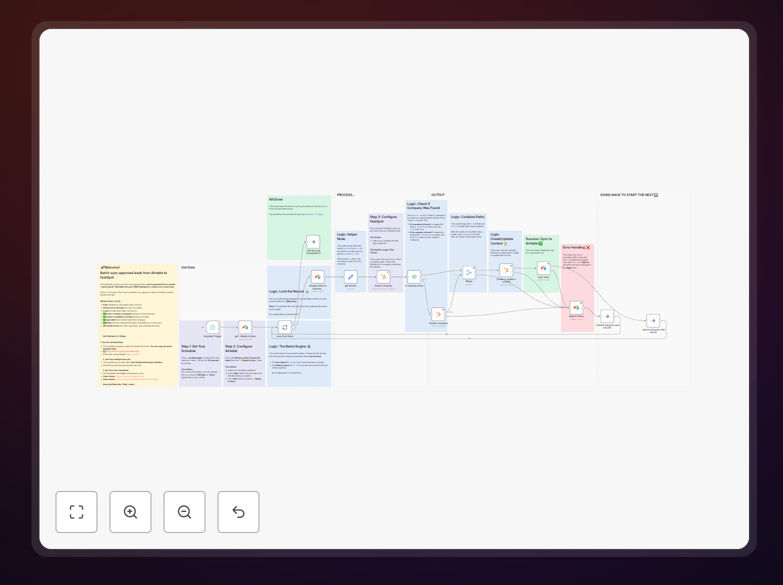
What This Workflow Does
This automation solves the common challenge of maintaining consistent contact data between Airtable (often used as a flexible data workspace) and HubSpot (the primary CRM system). Many teams struggle with manual data entry errors, outdated records, and duplicate entries when managing contacts across both platforms.
The workflow establishes a real-time two-way synchronization that automatically updates records in both systems whenever changes occur in either platform. This ensures your sales and marketing teams always work with the most current customer data without manual intervention.
How It Works
The synchronization process runs on n8n's automation platform, checking for changes in both systems and propagating updates accordingly.
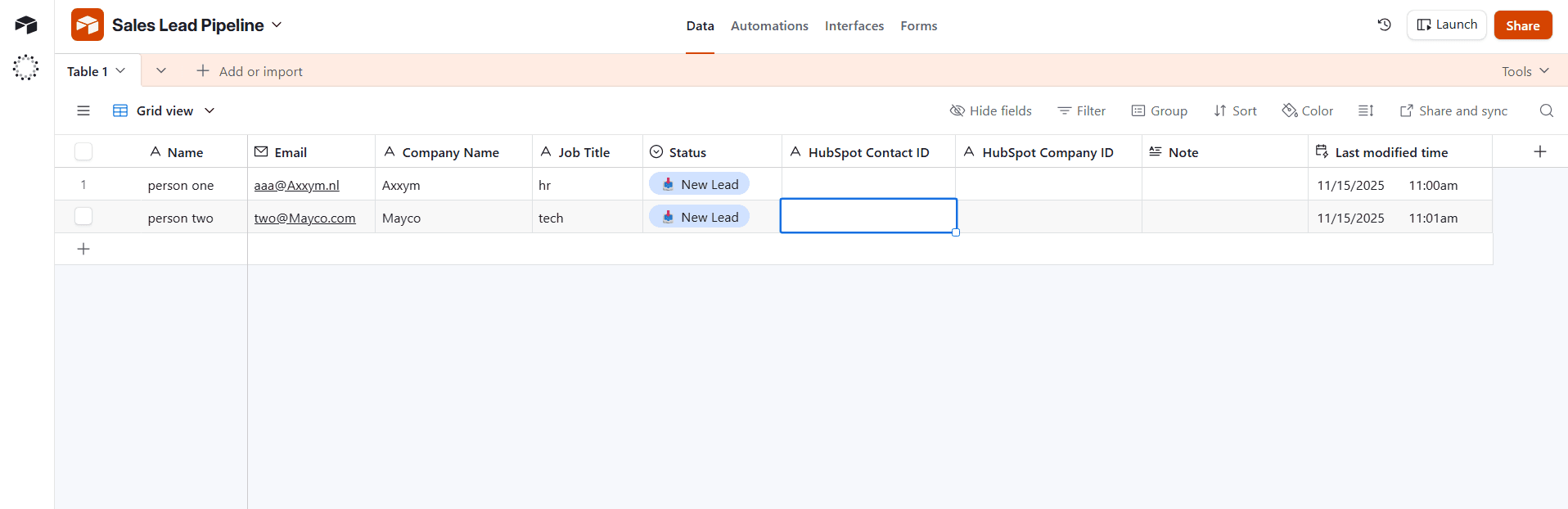
Step 1: Detect Changes in Airtable
The workflow monitors your specified Airtable base for new records or modifications using using webhooks or scheduled checks. Changed records are flagged for processing.
Step 2: Match Existing Record Matching
Before creating duplicates, the system checks HubSpot for matching contacts using email addresses or custom ID fields you configure.
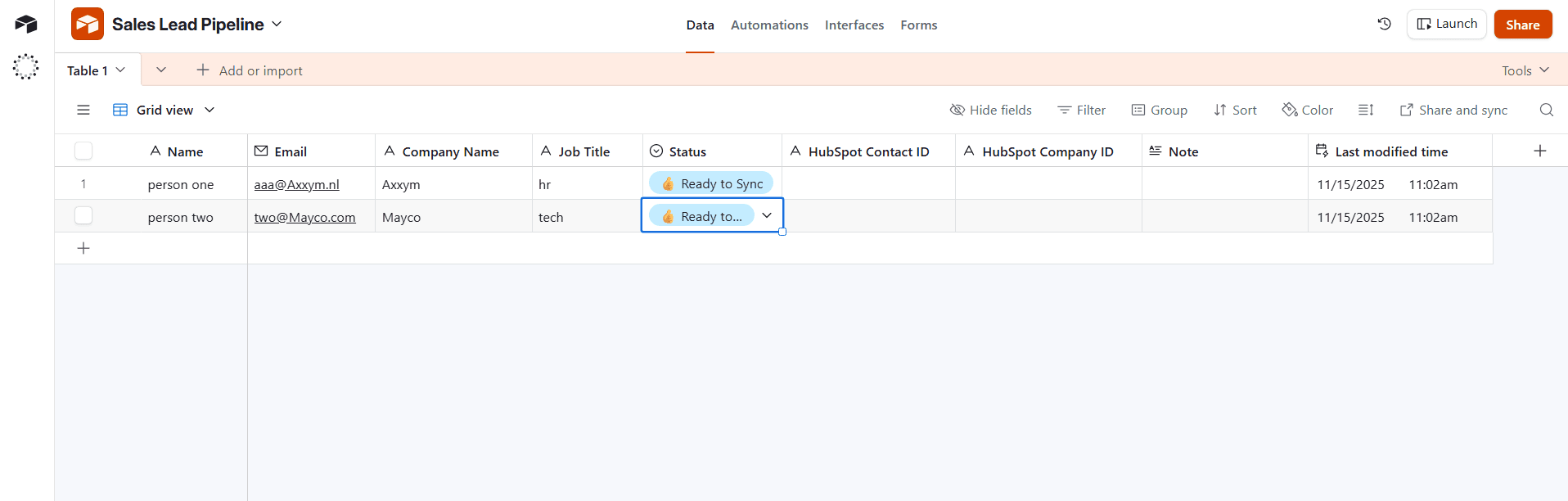
Step 3: Field Mapping and Update
The workflow applies your configured field mappings to ensure data is transferred correctly between the different structures of Airtable and HubSpot.
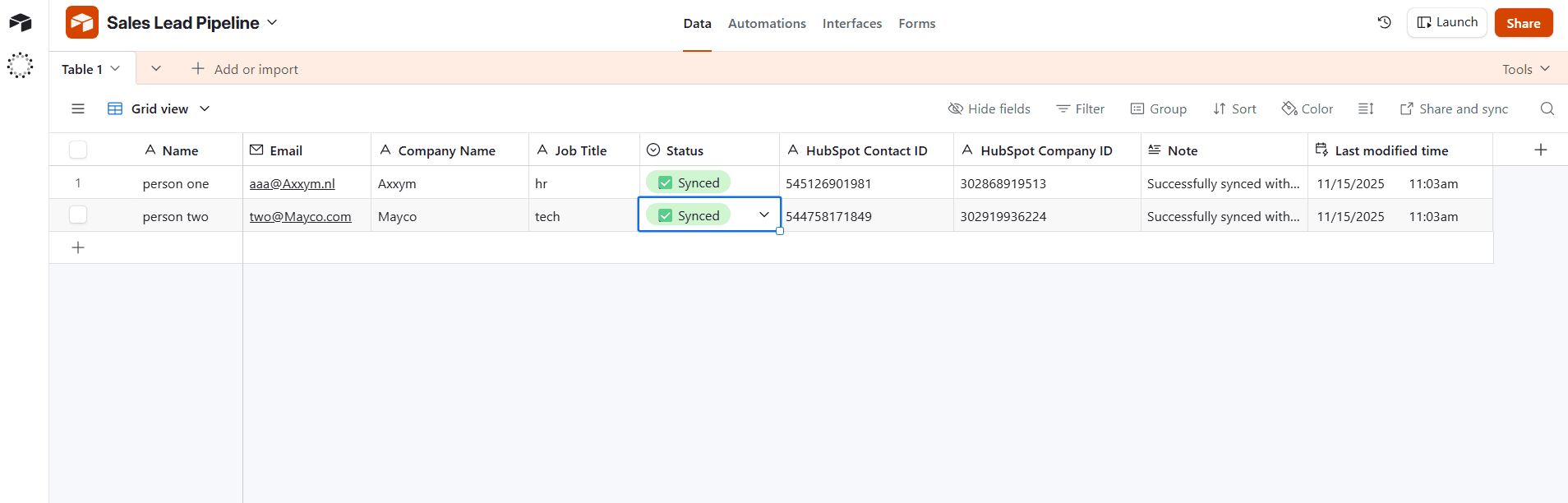
Step 4: Reverse Sync from HubSpot
The same process runs in reverse when HubSpot records are updated, ensuring changes flow back to Airtable.
Pro tip: Set up a dedicated "Last Synced" fields in both systems to prevent update loops and track synchronization history.
Who This Is For
This workflow is particularly valuable for:
- Sales operations teams managing prospect data across multiple systems
- Marketing teams running campaigns from Airtable that need CRM integration
- Agencies managing client data across different platforms
- Startups using Airtable as a lightweight CRM before transitioning to HubSpot
- Teams with distributed workflows where different departments prefer different tools
What You'll Need
- Active accounts with API access for both Airtable and HubSpot
- n8n instance (cloud or self-hosted)
- Admin access to configure webhooks in both systems
- Identified matching strategy (email, custom ID, etc.)
- Field mapping plan between Airtable and HubSpot
Quick Setup Guide
- Download and import the JSON template into your n8n instance
- Configure your Airtable and HubSpot API connections
- Set up your base/table names and required field mappings
- Define your matching criteria (email, custom ID field, etc.)
- Test with a small subset of records before enabling full sync
- Schedule the workflow to run at your preferred frequency
Key Benefits
Eliminate manual data entry entry errors that occur when teams copy information between systems. Automation ensures 100% accuracy in transferred data.
Save 5-10 hours per week that would normally be spent on manual data synchronization and cleanup between platforms.
Maintain data consistency across your entire organization with real-time updates flowing both directions automatically.
Scale your operations operations without adding headcount - the workflow handles increasing data volumes effortlessly.
Improve team adoption by letting different departments work in their preferred tools while maintaining system-wide data integrity.