Salesforce Google Sheets AI Analysis Customer Feedback n8n

AI-Powered Review Sentiment Analysis to Salesforce & Google Sheets

Automatically scrape, analyze, and sync customer feedback from Trustpilot. Transform reviews into actionable insights.

Download Template JSON · n8n compatible · Free
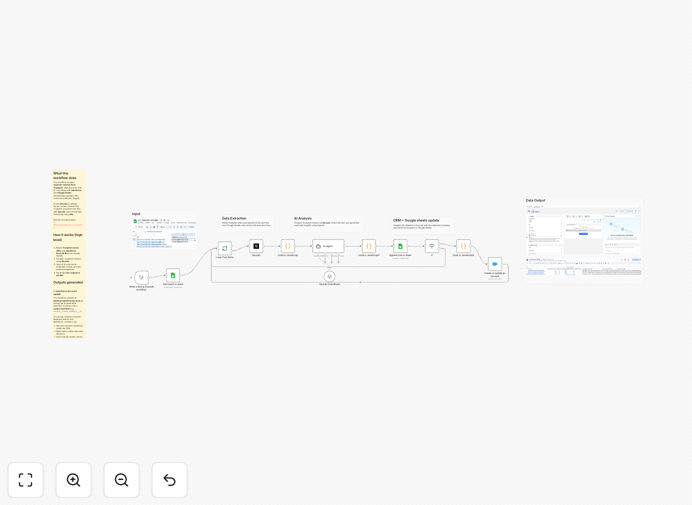
Visual diagram showing AI analyzing customer reviews and syncing data to Salesforce and Google Sheets

What This Workflow Does

This automation solves a critical business problem: understanding customer sentiment at scale. Manually reading and categorizing hundreds of reviews on platforms like Trustpilot is slow, inconsistent, and misses hidden trends. This workflow automatically scrapes customer reviews, uses AI to analyze sentiment and extract key themes, and keeps both your Salesforce CRM and Google Sheets updated with these insights.

By bridging external feedback with internal systems, you empower sales teams with real-time customer perception directly in Salesforce account records, while providing executives with aggregated analytics in Google Sheets for strategic decision-making. It turns unstructured text into structured, actionable data.

How It Works

The workflow orchestrates data flow between multiple platforms to create a seamless feedback loop.

Step 1: Data Collection

The process begins by reading a list of Trustpilot review URLs and corresponding Salesforce Account IDs from a Google Sheets spreadsheet. This setup allows you to manage and update target reviews centrally.

Step 2: Review Scraping & AI Analysis

Using Decodo for reliable web scraping, the workflow extracts the full text of each review. This content is then sent to an AI model (like OpenAI) which performs sentiment analysis, identifies positive/negative keywords, summarizes trends, and assigns a sentiment score.

Step 3: Dual-Path Data Sync

The analyzed data follows two parallel paths. First, the AI-generated sentiment summary is written to a custom field on the corresponding Salesforce Account record, enriching your CRM with external feedback. Simultaneously, structured metrics—including ratings, sentiment distribution, and keyword frequency—are appended to a Google Sheets dataset for reporting and visualization.

Pro tip: Configure the AI prompt to extract industry-specific keywords. For SaaS businesses, look for mentions of "UI," "bugs," or "customer support." For e-commerce, track "shipping," "product quality," or "packaging."

Who This Is For

This automation delivers value across multiple business functions:

Product Managers can identify feature requests and pain points directly from user feedback. Sales Teams gain context about account sentiment before calls, enabling more personalized conversations. Customer Success can proactively reach out to dissatisfied customers. Marketing Teams can leverage positive testimonials and understand brand perception. Executives get aggregated sentiment dashboards for strategic planning.

It's particularly valuable for B2B companies monitoring client satisfaction, SaaS businesses tracking user experience, and e-commerce brands managing reputation across review platforms.

What You'll Need

  1. n8n instance (cloud or self-hosted) to run the workflow.
  2. Google Sheets with columns for Trustpilot URLs and Salesforce Account IDs.
  3. Decodo API key for reliable review scraping (prevents blocking).
  4. OpenAI API key or alternative AI service for sentiment analysis.
  5. Salesforce account with a custom Text field (255 characters) created on the Account object to store sentiment summaries.
  6. Basic familiarity with n8n node configuration.

Quick Setup Guide

Follow these steps to implement this automation in under 30 minutes:

  1. Import the template: Download the JSON file and import it into your n8n instance.
  2. Configure credentials: Set up connections for Google Sheets, Decodo, OpenAI, and Salesforce in n8n's credentials management.
  3. Prepare your Google Sheet: Create a sheet with at least two columns: "Trustpilot_URL" and "Salesforce_Account_ID". Populate with your target reviews.
  4. Update Salesforce: Create a custom field on the Account object (API name like `Recent_Review_Summary__c`) to store the AI-generated sentiment.
  5. Test with one record: Run the workflow manually with a single review URL to verify all connections work correctly.
  6. Schedule automation: Set the workflow to run daily or weekly to keep insights current.

Pro tip: Start with a small batch of 5-10 reviews to validate the AI output quality. Adjust the prompt in the OpenAI node if you need more specific analysis categories before scaling to hundreds of reviews.

Key Benefits

Save 15+ hours monthly on manual review analysis. What typically takes a team member hours to read, categorize, and summarize happens automatically overnight.

Improve customer retention by identifying at-risk accounts through negative sentiment trends before they churn, enabling proactive intervention.

Enhance sales intelligence with sentiment context directly in Salesforce, helping sales reps tailor conversations based on recent customer feedback.

Create data-driven product roadmaps by aggregating feature requests and pain points from reviews into quantifiable metrics for prioritization.

Build competitive intelligence by analyzing not just your reviews but also competitor reviews on the same platforms, uncovering market gaps and opportunities.

Frequently Asked Questions

Common questions about review sentiment analysis automation and integration

Customer review sentiment analysis transforms subjective feedback into actionable data. It reveals patterns in customer satisfaction, identifies recurring complaints before they escalate, and highlights strengths to promote. Without automation, manually reading and categorizing hundreds of reviews is time-consuming and prone to bias, leaving valuable insights buried in unstructured text.

For example, a SaaS company might discover that 40% of negative reviews mention "slow loading" during specific hours, pointing to a infrastructure issue rather than a product problem. This specificity enables targeted improvements that directly impact customer satisfaction scores.

Connecting review data directly to Salesforce enriches customer profiles with real-time market perception. Sales and account teams can see sentiment trends alongside deal history, enabling proactive outreach to unhappy customers or leveraging positive feedback in upsell conversations.

This integration turns external feedback into a strategic asset within your existing CRM workflow. When a sales rep opens an account record, they immediately see if recent reviews are positive or negative, allowing them to adjust their approach accordingly—congratulating on good feedback or addressing concerns before the quarterly business review.

AI analyzes reviews at scale with consistent accuracy, detecting nuanced emotions, sarcasm, and context that manual readers might miss. It can categorize feedback into themes (e.g., pricing, support, features), quantify sentiment scores, and track changes over time.

Traditional manual analysis suffers from fatigue and inconsistency—what one analyst labels "negative" another might call "neutral." AI applies the same criteria to every review, creating reliable trend data. It can also process thousands of reviews in minutes versus the weeks required for human analysis, providing near-real-time insights.

Yes, the same automation architecture works for Google Reviews, G2, Capterra, App Store, or any platform with publicly accessible reviews. The workflow logic—scraping, AI analysis, and data syncing—remains consistent; only the data source configuration changes.

This flexibility allows businesses to consolidate feedback from multiple channels into a single dashboard. For instance, a mobile app developer could combine App Store reviews with Google Play reviews and Trustpilot feedback, giving a comprehensive view of user sentiment across all touchpoints in one Salesforce report.

Use the structured data in Google Sheets to create dashboards tracking sentiment scores over time, keyword frequency, and rating distributions. Share these reports with product teams to prioritize feature development, with marketing to highlight positive testimonials, and with executives to monitor customer health metrics.

Automated reports can trigger alerts when sentiment drops below a threshold, enabling swift intervention. You can also connect Google Sheets to data visualization tools like Looker Studio to create executive dashboards that update automatically as new review data flows in.

Use both for different purposes. Salesforce is ideal for operational use—attaching sentiment to specific accounts for sales and support teams. Google Sheets is better for analytical use—aggregating data across many accounts for trend analysis and reporting.

This workflow updates both simultaneously, ensuring each team has the data format they need without manual duplication. Sales reps work in Salesforce daily, so having sentiment there creates minimal workflow disruption. Analysts prefer Google Sheets for its flexibility in creating pivot tables and charts without affecting live CRM data.

Yes, GrowwStacks specializes in building tailored automation systems for specific business needs. We can adapt this workflow to analyze reviews from your industry-specific platforms, integrate with your existing CRM beyond Salesforce, add custom sentiment categories, and set up automated alerting for critical feedback.

Our team handles the entire implementation, from design to deployment and training. We'll work with you to identify the right review sources, configure AI prompts for your industry terminology, and ensure the insights integrate seamlessly with your existing business processes.

  • Multi-platform review aggregation
  • Custom sentiment categories for your industry
  • Integration with your existing CRM and BI tools
  • Automated alerting for negative sentiment spikes

Need a Custom Review Sentiment Automation?

This free template is a starting point. Our team builds fully tailored automation systems for your specific business needs.