What This Workflow Does
HR and legal departments drown in paper: signed contracts, employee IDs, tax forms, compliance certificates, and vendor agreements scattered across email, shared drives, and physical folders. This chaos leads to lost documents during audits, compliance violations, and hours wasted searching for files.
This automation transforms that chaos into order. When a document arrives via upload or URL, the workflow checks for duplicates, stores it in a structured Google Drive folder, updates an Airtable tracking database, and sends confirmation emails—all without manual intervention. It creates an audit-ready digital filing system that scales with your organization.
How It Works
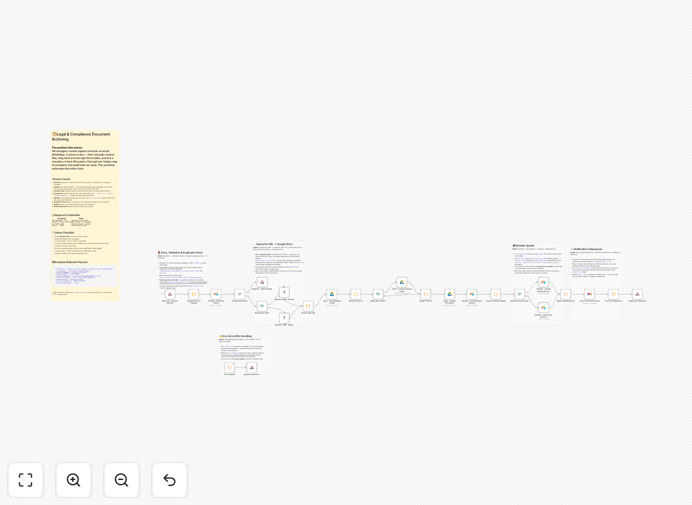
Step 1: Document Receipt & Validation
The workflow triggers when a document is uploaded via webhook or URL. It validates the file type (PDF, DOC, JPG), extracts metadata like employee name and document type, and checks Airtable to prevent duplicate filings for the same employee and document category.
Step 2: Smart Storage Organization
Using Google Drive API, the workflow automatically creates or navigates to the correct folder path: HR/Contracts/2024/Marketing/John Smith/. It renames files using a consistent format: EMP123_Smith_EmploymentContract_2024-03-15.pdf for instant searchability.
Step 3: Database Synchronization
The Airtable base updates with the new document entry, marking the "Contract Received" checkbox as true, recording the Google Drive URL, filing date, and document type. This creates a single source of truth for HR document status across the organization.
Step 4: Notification & Confirmation
Professional HTML emails are sent to HR administrators and the employee (if applicable) with secure access links, filing confirmation, and metadata. This closes the loop and provides immediate visibility into the filing process.
Pro tip: Use this workflow's Airtable base to create dashboards showing document completion rates by department, upcoming expirations, and compliance gaps—transforming reactive filing into proactive document management.
Who This Is For
This automation delivers immediate value for HR teams at growing companies, legal departments managing compliance documentation, remote teams needing centralized document access, and businesses preparing for audits. If you're currently using shared folders, email attachments, or manual spreadsheets to track important documents, this workflow will save you hours weekly and reduce compliance risk.
What You'll Need
- Google Drive account with API access for document storage
- Airtable base with employee/document tracking tables
- Email service (Gmail, SMTP, or email service provider)
- n8n instance (cloud or self-hosted) running the workflow
- Document upload source (web form, mobile app, or existing system)
Quick Setup Guide
- Download and import the JSON template into your n8n workspace
- Connect credentials for Google Drive, Airtable, and your email service
- Configure folder structure in Google Drive to match your organization's hierarchy
- Map Airtable fields to match your existing employee database columns
- Test with sample documents to verify the filing path and notifications
- Activate the workflow and connect it to your document upload source
Key Benefits
Eliminate 10-15 hours of manual filing per week for HR teams. Documents are automatically organized, named consistently, and tracked without human intervention.
100% audit readiness in minutes, not days. When auditors request specific contracts or compliance documents, you can instantly locate them via Airtable search and provide secure access links.
Zero duplicate filings or lost documents. The workflow checks for existing records before filing and maintains complete version history in Google Drive with structured naming conventions.
Automated compliance tracking with expiration alerts for time-sensitive documents like certifications, visas, or contract renewals.
Scalable document management that grows with your team—from 10 employees to 10,000 without additional administrative overhead.