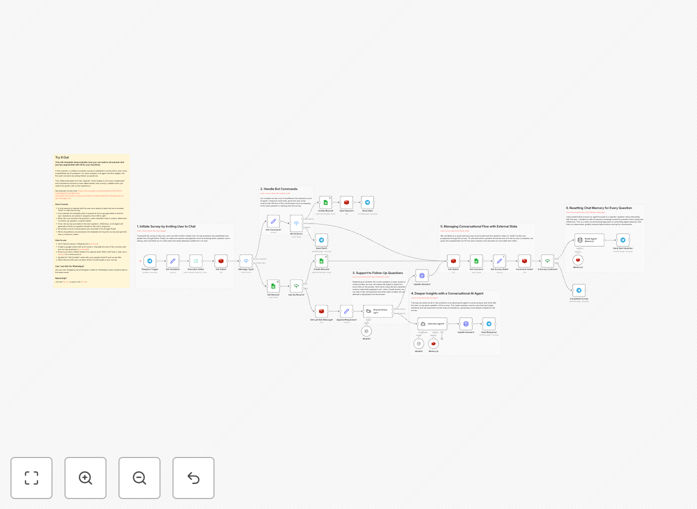
What This Workflow Does
Manual customer feedback collection is slow, inconsistent, and misses valuable insights. This automation solves that by creating a conversational survey experience through Telegram. Customers interact with a chatbot that asks structured product satisfaction questions pulled from a Google Sheet. When responses indicate deeper sentiment, an AI agent intelligently asks follow-up questions to uncover the "why" behind scores.
Every response—both the initial answers and AI-generated conversations—is automatically logged back into Google Sheets, creating a rich, timestamped dataset ready for analysis. This turns sporadic feedback into a continuous, scalable insight stream that operates 24/7 without manual intervention.
How It Works
1. Survey Initiation
A user starts the survey by sending "/next" to your Telegram bot. The workflow validates the user and retrieves the first question from your predefined Google Sheet.
2. Structured Question Flow
The bot asks questions sequentially from your sheet. Each response is immediately saved, and a text classifier evaluates if the answer warrants deeper exploration.
3. AI-Powered Follow-Up
When responses contain emotional cues or complex feedback, the AI agent engages in a mini-conversation to gather detailed context, then returns to the main survey flow.
4. Data Consolidation
All conversations are recorded in Google Sheets with user IDs, timestamps, and question-answer pairs, creating a complete audit trail for each participant.
5. Survey Completion
After the final question, users receive a thank-you message and can restart if needed. The sheet now contains both quantitative scores and qualitative insights.
Who This Is For
This template is ideal for product managers, customer success teams, UX researchers, and small business owners who need systematic feedback but lack dedicated survey tools. It's particularly valuable for SaaS companies, e-commerce brands, mobile app developers, and service providers who want to understand customer satisfaction in near real-time. Teams using Telegram for community engagement will find this integration seamless.
Pro tip: Use this workflow not just for product feedback, but also for post-purchase satisfaction, event feedback, or employee pulse surveys. Simply update the questions in your Google Sheet.
What You'll Need
- A Telegram bot token (created via @BotFather)
- A Google Sheet with your survey questions in columns
- Redis instance for state management (Upstash offers a free tier)
- n8n instance (cloud or self-hosted)
- OpenAI or compatible LLM API key for AI follow-ups
Quick Setup Guide
- Download the template using the button above and import it into your n8n instance.
- Configure credentials for Telegram, Google Sheets, Redis, and your AI provider in n8n.
- Update the "Set Variable" node with your Google Sheet ID and survey title.
- Populate your Google Sheet with survey questions (ID column followed by question columns).
- Activate the workflow and test with your Telegram bot by sending "/next".
- Share your bot link with customers or team members to start collecting feedback.
Key Benefits
Save 10+ hours monthly on manual survey administration by automating distribution, follow-up, and data entry. The system handles everything from initiation to storage.
Increase response rates by 40-60% compared to email surveys by meeting users in a conversational interface they already use daily.
Capture richer qualitative insights through AI-driven follow-up questions that uncover the reasoning behind numerical scores.
Create real-time dashboards by connecting your Google Sheet to data visualization tools like Looker Studio for instant insight visibility.
Scale effortlessly from 10 to 10,000 participants without additional setup or cost—the automation handles the volume automatically.