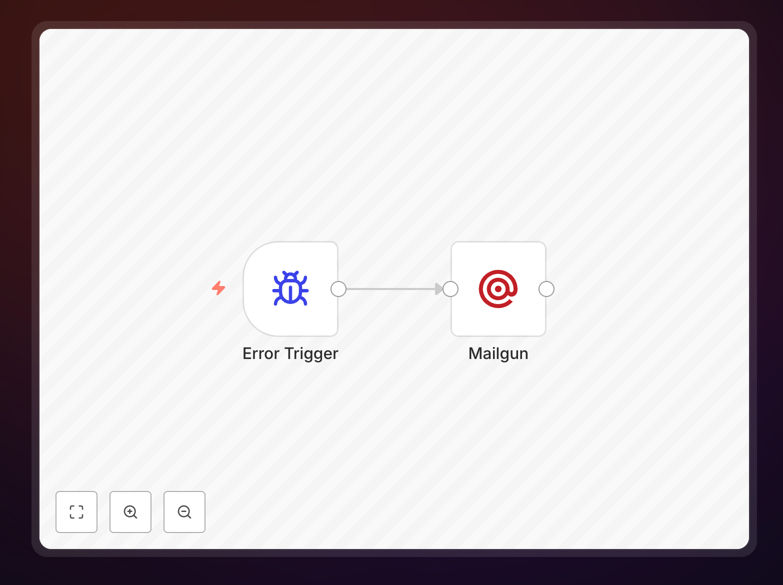
What This Workflow Does
When your business-critical automations fail, you need to know immediately—not hours later when you notice something's wrong. This error handling workflow acts as a safety net for your other n8n workflows. When configured as an "Error Workflow" in n8n settings, it automatically triggers whenever a monitored workflow fails, sending you a detailed email alert with crucial information: which workflow failed, what error occurred, when it happened, and relevant execution data.
This transforms silent failures into actionable notifications. Instead of manually checking logs or discovering broken processes through customer complaints, you receive immediate alerts that enable rapid response. The template uses Mailgun for email delivery but can be easily adapted to Slack, Teams, SMS, or any notification platform your team uses.
For businesses running multiple automations for lead processing, data synchronization, customer communications, or internal operations, this workflow provides essential monitoring infrastructure. It reduces mean time to resolution (MTTR) from hours to minutes, prevents data loss, and ensures your automation ecosystem remains reliable.
How It Works
The workflow follows a straightforward but powerful pattern for error capture and notification.
1. Error Trigger Activation
When you designate this workflow as an "Error Workflow" in another workflow's settings, n8n automatically routes any execution failures to it. The error trigger node receives comprehensive failure data including workflow ID, execution ID, error message, and the specific node where the failure occurred.
2. Error Data Processing
The workflow extracts and structures the error information into a readable format. It captures the workflow name, error message with stack trace if available, timestamp of failure, and any execution context that was active when the error happened. This processing ensures the notification contains everything needed for debugging.
3. Email Notification Assembly
Using the Mailgun node (or your preferred email service), the workflow constructs a clear, actionable email. The subject line identifies the failed workflow, while the body presents error details in a structured format. You can customize the email template to include specific data fields relevant to your business processes.
4. Alert Delivery
The email sends to predefined recipients—typically your development team, operations staff, or on-call engineers. The workflow can be extended to include conditional logic: critical errors might trigger SMS alerts, while minor warnings could go to a dedicated Slack channel for later review.
Who This Is For
This template is essential for any business or team relying on automated workflows. Operations teams managing customer data pipelines will benefit from immediate failure alerts. Marketing teams running automated campaigns need to know if lead scoring or segmentation workflows break. Development teams building internal tools require visibility when their automations fail in production.
Small businesses running a handful of critical automations—like invoice generation or customer onboarding—gain enterprise-grade monitoring without complex setup. Agencies managing automations for multiple clients can implement this as a standard practice across all client workflows. Even solo entrepreneurs using automation for personal productivity can't afford silent failures in their business processes.
Pro tip: Configure different error workflows for different environments. Use a "development" error workflow that logs to a database for debugging during testing, and a "production" version that sends urgent alerts to your team.
What You'll Need
- n8n instance (cloud or self-hosted) with workflow execution permissions
- Mailgun account or alternative email service (SendGrid, SMTP, etc.) configured in n8n
- Production workflows that you want to monitor for failures
- Email recipient list of team members who should receive alerts
- Basic understanding of n8n workflow settings and error configuration
Quick Setup Guide
Follow these steps to implement error monitoring for your automations:
- Download and import the template JSON file into your n8n instance.
- Configure Mailgun node with your API credentials, sender email, and recipient addresses.
- Customize the email template to include the specific information your team needs for debugging.
- Save and activate the error handling workflow in your n8n instance.
- For each workflow you want to monitor, open its settings, find the "Error Workflow" option, and select this error handling workflow.
- Test the setup by intentionally causing a failure in a test workflow and verifying the alert arrives correctly.
Implementation note: You can use one error workflow to monitor multiple production workflows, or create specialized error handlers for different categories (critical vs. non-critical, different teams, etc.).
Key Benefits
Reduce downtime by 80%+ with immediate failure notifications instead of delayed discovery through manual checks or customer complaints.
Centralize error monitoring across all your automations with consistent alert formatting and routing logic in one place.
Improve debugging efficiency with structured error data delivered directly to your team, eliminating log file searching.
Scale your automation confidently knowing you'll be alerted immediately when anything breaks, regardless of how many workflows you're running.
Create audit trails by extending the workflow to log errors to a database or spreadsheet for trend analysis and compliance reporting.