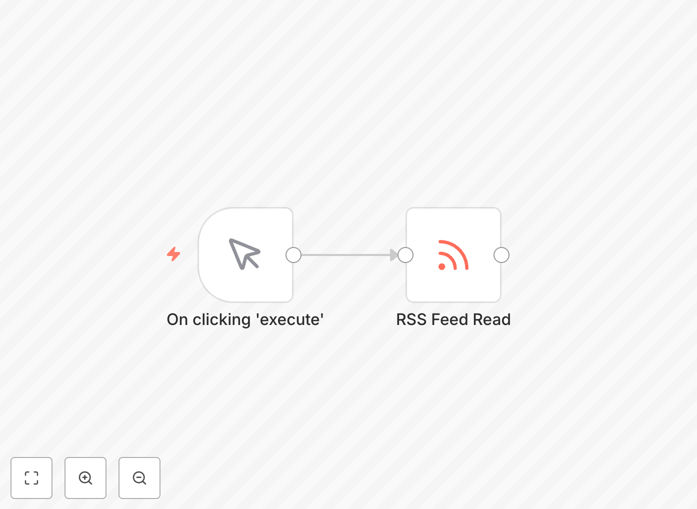
What This Workflow Does
Manually checking multiple websites, blogs, and news sources for updates is a time-consuming task that distracts teams from higher-value work. This RSS feed automation workflow solves that problem by automatically monitoring your chosen feeds 24/7, processing new content as it appears, and routing it to your preferred business tools.
The workflow acts as an intelligent content aggregator that connects RSS sources to your existing stack. It can filter articles by keywords, exclude irrelevant topics, format content for different destinations, and trigger follow-up actions—all without manual intervention. Whether you're tracking competitor updates, curating industry news, or monitoring brand mentions, this automation turns passive reading into active intelligence.
Beyond simple monitoring, the workflow enables proactive business processes. New blog posts can trigger social media shares, industry news can populate team newsletters, and competitor announcements can alert your sales team. By automating the collection and initial processing of web content, you gain consistent, timely information without the overhead of manual checking.
How It Works
Step 1: Feed Configuration & Scheduling
The workflow begins by connecting to your specified RSS feed URLs. You can configure multiple feeds from different sources—blogs, news sites, podcast feeds, or any platform that offers RSS. A scheduler triggers the workflow at your preferred interval (every 15 minutes, hourly, or daily) to check for new content without manual initiation.
Step 2: Content Retrieval & Parsing
When triggered, the workflow fetches the latest items from each configured feed. It extracts key information including titles, descriptions, publication dates, authors, categories, and links. The parsing process normalizes data from different feed formats into a consistent structure for downstream processing.
Step 3: Filtering & Processing Logic
This is where intelligence gets added. You can implement keyword filters to include only relevant content, exclude specific topics, prioritize certain sources, or categorize items based on content analysis. Conditional logic routes different types of content to appropriate destinations based on your business rules.
Step 4: Destination Routing & Integration
Processed content gets sent to your chosen business tools. Common destinations include Slack channels for team alerts, Google Sheets for content databases, Notion pages for knowledge bases, email newsletters, social media schedulers, or CRM systems for lead generation triggers.
Step 5: Error Handling & Monitoring
The workflow includes built-in error handling for feed failures, connection issues, or parsing problems. Failed operations automatically retry, and critical errors can trigger alerts to your team. This ensures reliable operation even when external sources experience temporary issues.
Who This Is For
This automation is ideal for marketing teams tracking industry trends and competitor activity, content teams curating sources for newsletters or social media, business intelligence professionals monitoring market developments, and founders staying updated on their industry. Agencies managing multiple clients can use it to monitor client industries, while product teams can track relevant technology updates.
Any business that relies on timely information from web sources will benefit. The workflow scales from monitoring a few key blogs to aggregating dozens of feeds across different departments. It's particularly valuable for distributed teams who need consistent information flow without relying on individuals to manually check sources.
What You'll Need
- n8n instance (cloud or self-hosted) to run the workflow
- RSS feed URLs for the sources you want to monitor
- Destination app credentials (Slack, Google Sheets, etc.) for where you want to send content
- Basic understanding of how RSS feeds work and what content you want to track
- Clear objectives for what you want to achieve with the aggregated content
Pro tip: Start with 2-3 key feeds and simple filtering before expanding. This lets you validate the workflow delivers value before investing time in complex configurations.
Quick Setup Guide
1. Download the template using the button above and import it into your n8n instance. 2. Replace the sample RSS feed URLs with your actual sources in the RSS Read node. 3. Configure the schedule trigger to match your monitoring needs (hourly is typical for most use cases). 4. Set up your filtering criteria based on keywords or categories relevant to your business. 5. Connect your destination apps by adding credentials for Slack, Google Sheets, or other tools. 6. Test the workflow with a manual run to verify content flows correctly. 7. Activate the workflow and monitor initial runs to ensure reliable operation.
Pro tip: Use n8n's workflow history feature to review processed items during testing. This helps you refine filters before connecting to production destinations.
Key Benefits
Save 5-10 hours weekly that teams spend manually checking websites and copying content. Automation works 24/7 without breaks, ensuring you never miss important updates even during weekends or holidays.
Improve information consistency across your organization. Instead of relying on individuals to share interesting finds, relevant content gets automatically distributed to everyone who needs it in standardized formats.
Enable faster response times to market developments. When competitor announcements or industry news breaks, your team gets alerted immediately rather than discovering it days later through casual browsing.
Create scalable content processes that grow with your business. Adding new feeds or destinations takes minutes rather than creating new manual monitoring responsibilities for team members.
Build a searchable content archive automatically. By routing processed items to databases or knowledge bases, you create an ever-growing resource that team members can query for historical research.